










TRENDING





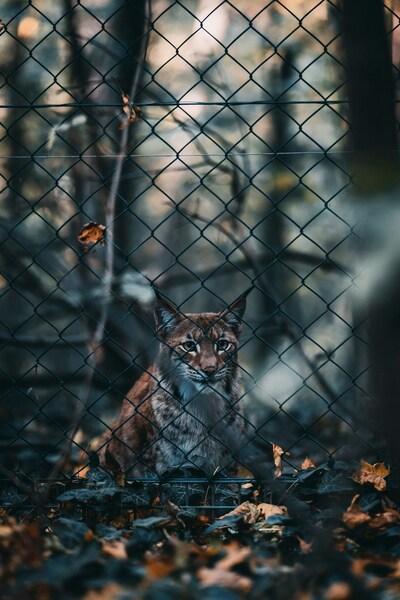
Mystical Grey Cat with Glowing Eyes – Aesthetic Wallpaper – iPhone
···
|
2K
|
JPG
|
DESCRIPTION
This captivating wallpaper features a mystical grey cat with striking yellow eyes. The cat is lying on a bed, its fur a mix of soft greys, with its gaze fixed directly on the viewer. The bed's blue blanket contrasts beautifully with the cat's fur, creating a soothing and serene atmosphere. The lighting in the image is dim, with the cat's eyes shining like stars, adding a touch of magic to the scene. The minimalist composition focuses on the cat, with no other objects or distractions in the frame. This wallpaper is perfect for those who appreciate a simple yet striking aesthetic. It's a 4K HD image that would look stunning on any iPhone or desktop background.










FAQ
Is this wallpaper free to download?
Yes! This Aesthetic wallpaper is completely free to download for personal use. No registration required.
What resolutions are available?
This wallpaper is available in Original (2998×4528), 2K (2560×1440), and Full HD (1920×1080) resolutions.
How do I set this as my wallpaper?
Download the wallpaper, then: On Windows - Right-click the image > Set as desktop background. On Mac - System Preferences > Desktop. On iPhone/Android - Open image > Set as wallpaper.